Organizations
Tracer scopes everything to one owner at a time: an organization you belong to, or Personal, your own private space. The Visualizations page lists only that owner’s work, and switching reloads the list.
What you can switch between
The list follows how you were given access to Tracer, not how many organizations you belong to.
- Personal: only if you have Tracer access in your own right.
- One entry per organization: for each organization you belong to that has Tracer access.
If your access to Tracer comes entirely through an organization, you have no Personal entry. The list contains that organization and nothing else: there is nowhere private to put a visualization, and everything you create belongs to the organization.
Organizations you belong to that do not have Tracer access do not appear at all.
Where to find it
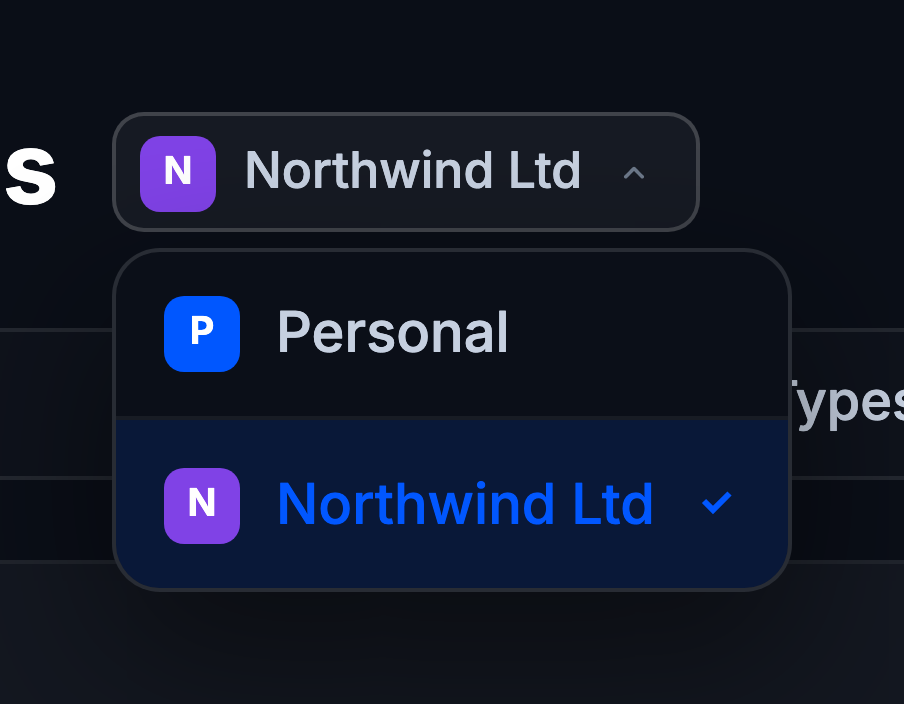
The switcher sits next to the Visualizations page title: a square tile with the first letter of the name, followed by the name itself.
With one entry it is a label, not a control. There is nothing to switch to, so it does not open. If you have access through a single organization and never see a dropdown, that is why.
With more than one it becomes a button. Click it and pick from the list; the active one is marked with a checkmark.
Personal and organization work
Personal is yours alone. Visualizations you create there belong to you, and nobody else sees them unless you share them.
Organization work is shared. What you create there belongs to the organization, and Manage access becomes available on each visualization so you can invite colleagues and set their role. See Sharing and access.
Which one you start in
You are never asked on sign-in. Tracer picks, in this order:
- The one you are already in, if it is still available.
- The one you last used, which is remembered in your account, so it carries across devices and other AMLBot products.
- The only one you have.
- Otherwise the first in the list: Personal if you have it, then organizations by name.
If your membership of an organization is revoked, it stops appearing and Tracer moves you elsewhere without warning. Visualizations that lived in it stay with the organization.
Check the switcher before concluding that a visualization has been deleted. The most common reason a graph “vanishes” is that the list is scoped to a different organization than the one it was created in.