Visualizations
The Visualizations page is what you land on after signing in. It lists every visualization you can open in the organization you are in, and it is where new ones are started.
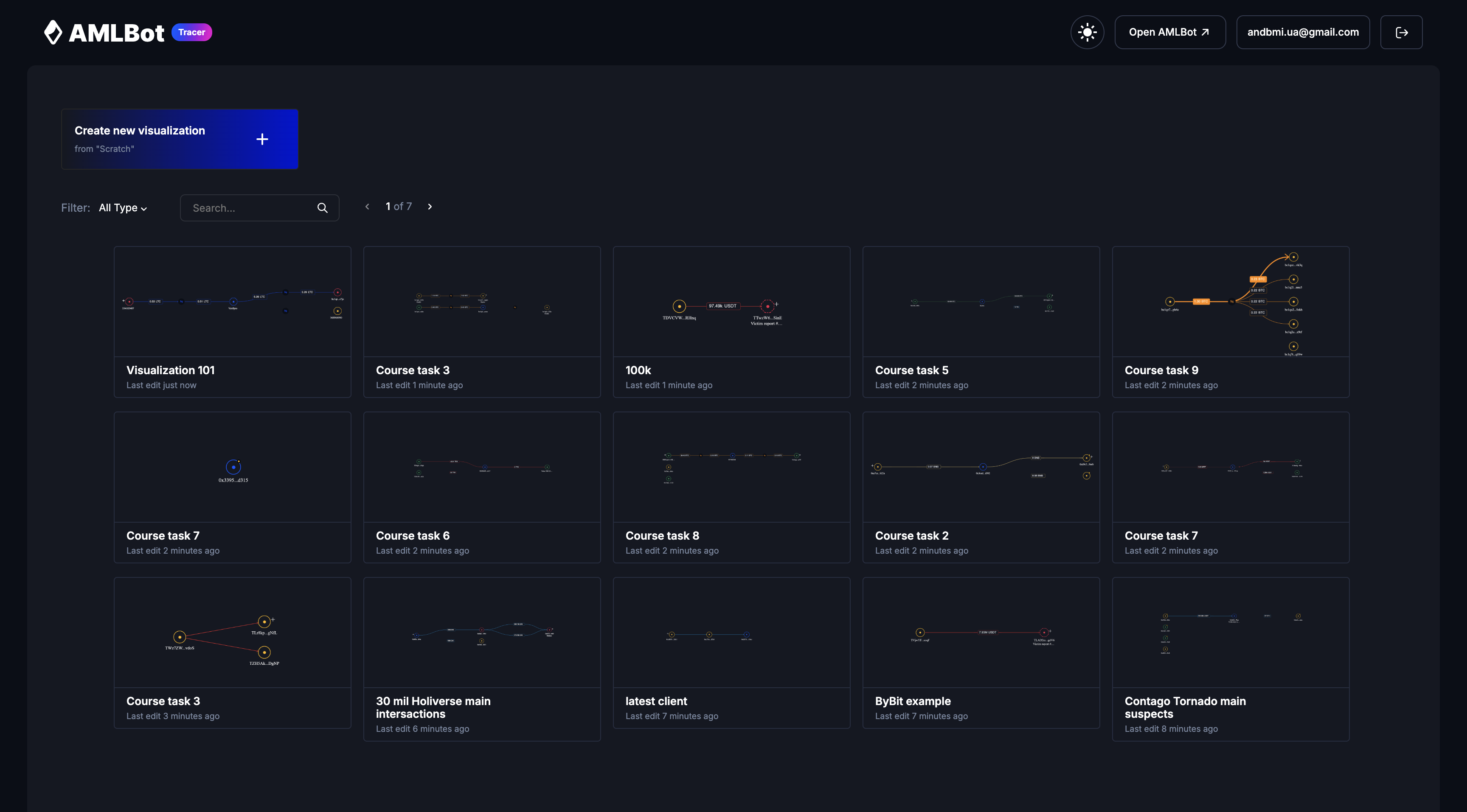
The list
Each row is one visualization:
| Column | What it shows |
|---|---|
| Name | Title and the short form of the visualization hash. Click the row to open it in a new tab. |
| Type | Entity or Address: how the graph groups what it draws. |
| Mode | Base for an ordinary graph, Connections for one built in connection based mode. |
| Visibility | Private, or Public if anyone with the link can view it. |
| Updated | Time since the last change: “Just now”, “5 minutes ago”, “3 days ago”. |
The list follows the organization you are in. Switching changes which visualizations appear; see Organizations.
Finding a visualization
- Search: filter by title with the search box.
- Type: All Types, Entity, or Address.
- Ownership: All Visualizations, My Visualizations, Shared with me, or Public.
- Sort: by Updated, Created, or Title, ascending or descending.
The filters are held in the page URL, so a filtered list can be bookmarked or sent to a colleague. The count to the right of the filters is the total number of matches, not the number on screen.
Row actions
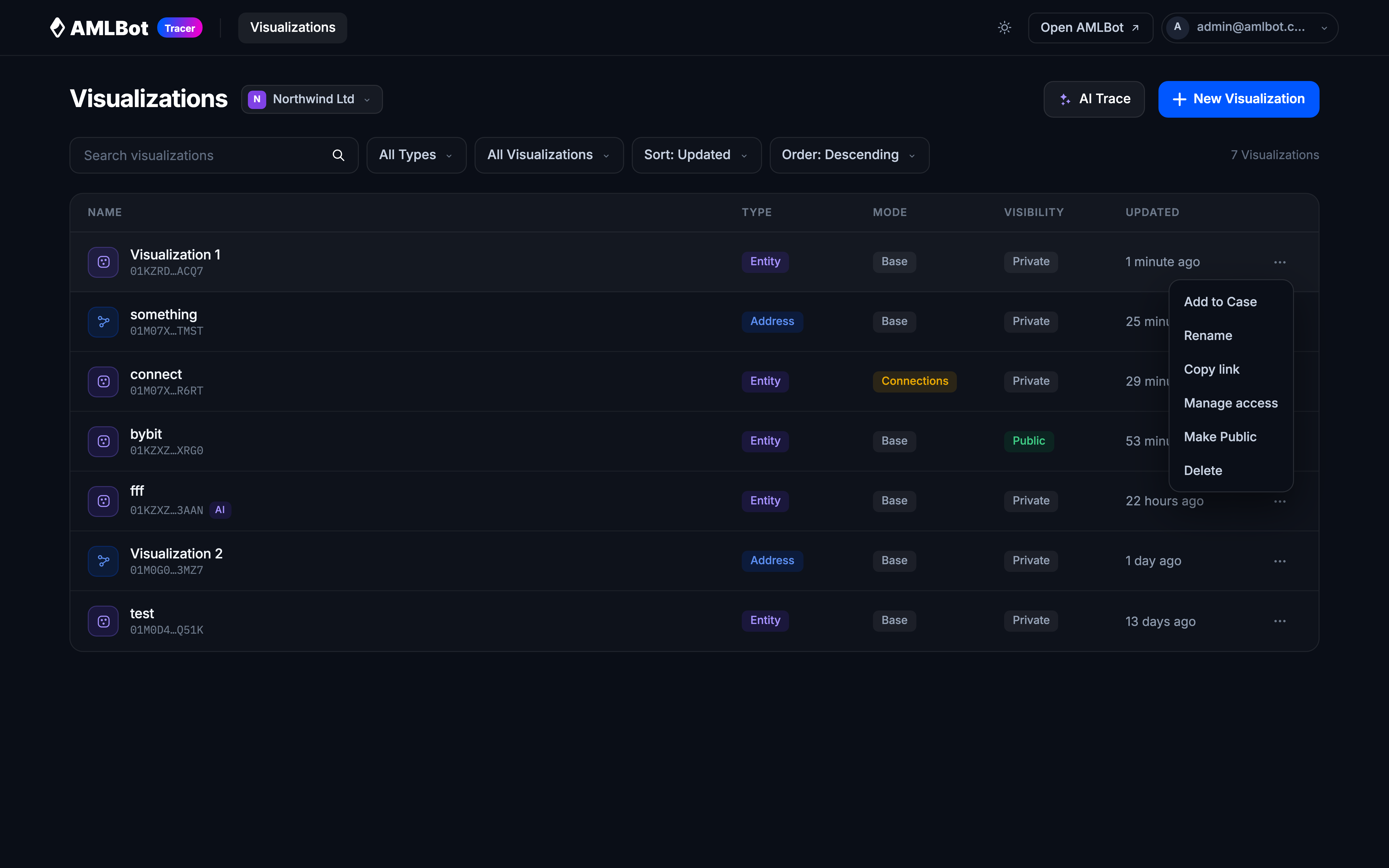
The ⋯ menu at the end of a row:
- Rename: edit the title inline, then Apply.
- Copy link: copies the visualization link to your clipboard.
- Manage access: invite people by email and set their role. Only in an organization, not in Personal; see Sharing and access.
- Make Public / Make Private: toggles whether anyone holding the link can view it.
- Delete: asks for confirmation first.
Starting a new visualization
Two buttons sit at the top of the page.
New Visualization
Opens a two-step dialog.
This replaces the older flow, where you searched in one dialog and then chose the type and asset in a second one after the graph had already opened. Both steps are now in the same dialog, and the graph opens configured.
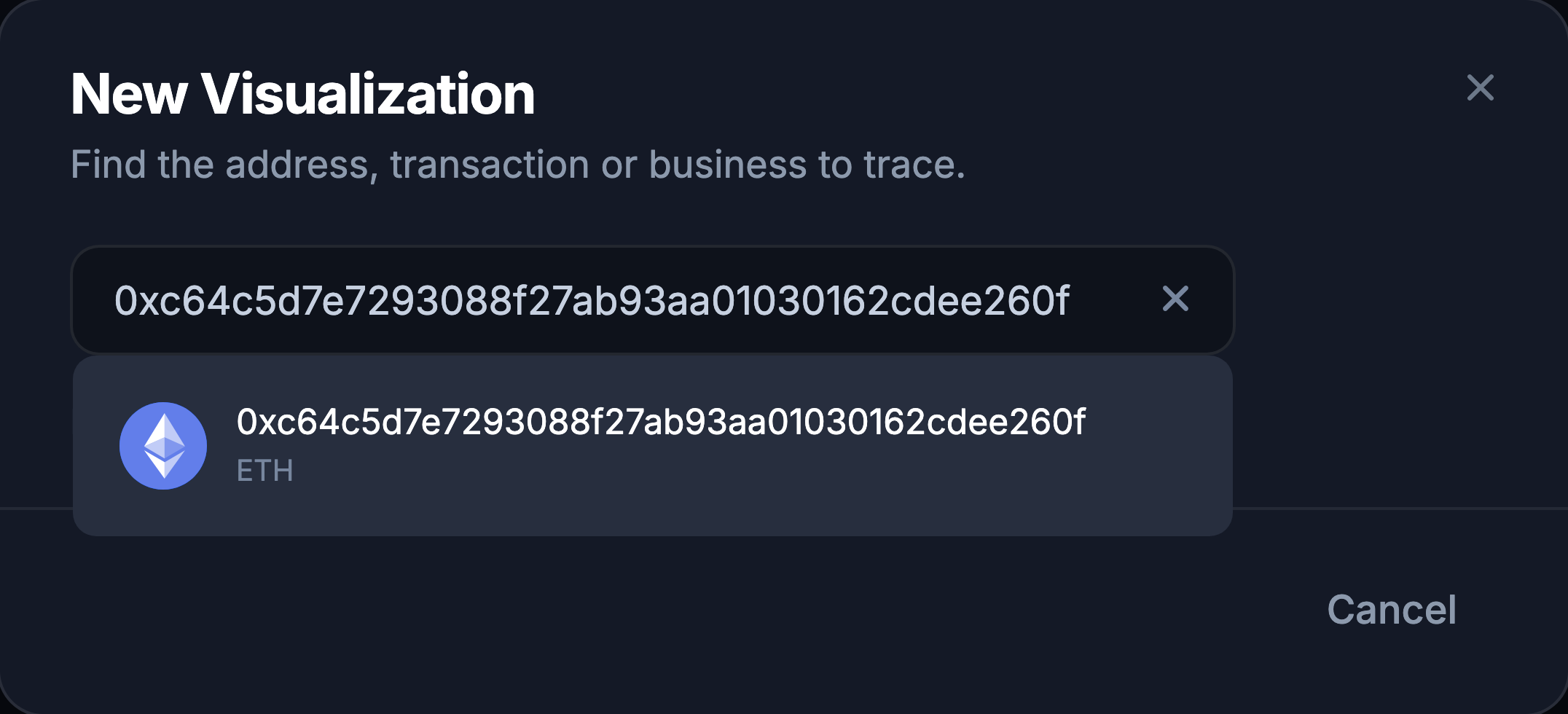
- Find the target. Paste an address or transaction hash, or type a business name such as
Binance. Pick a result. - Configure the graph.
- Initial asset: which asset the graph starts from. A transaction offers the tokens it moved; an address or entity offers the tokens it holds.
- Graph type: Entity or Address. Offered only when you started from an address: a transaction or a business already determines its own type. See Visualisation Modes & Types.
- Connection based mode: a toggle, off by default.
- Create.
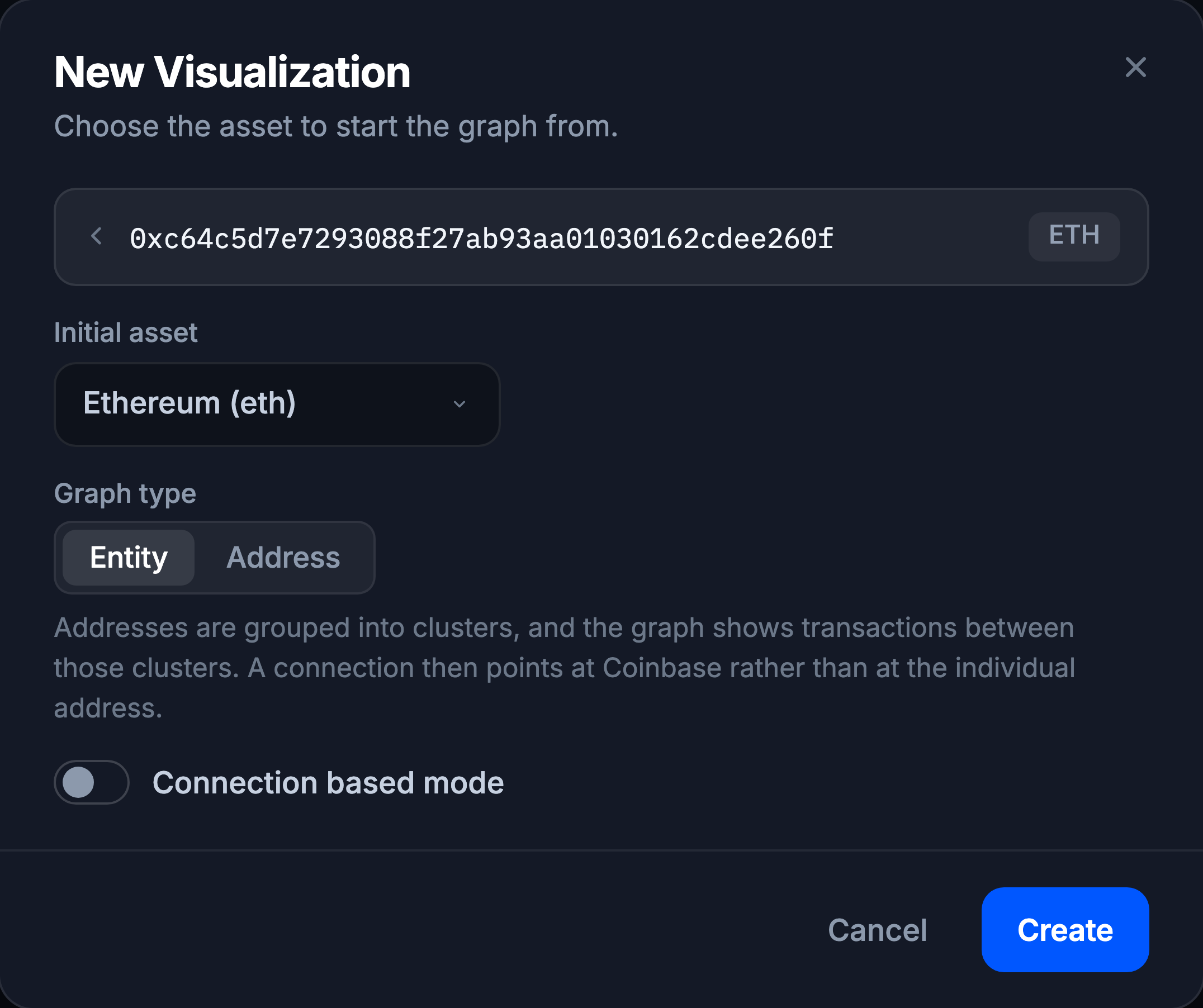
There is no name field. A visualization is named afterwards, by renaming it in the list.
AI Trace
Builds the graph for you from one or more transaction hashes. See AI Trace.
If the list is empty
“You do not have saved visualizations, create new” means exactly that for the organization you are in. If you expected to see something, check the switcher next to the page title and the ownership filter before assuming the visualization is gone.