Visualization
The visualization page is the graph itself: addresses or entities drawn as circles, transactions drawn as the lines between them.
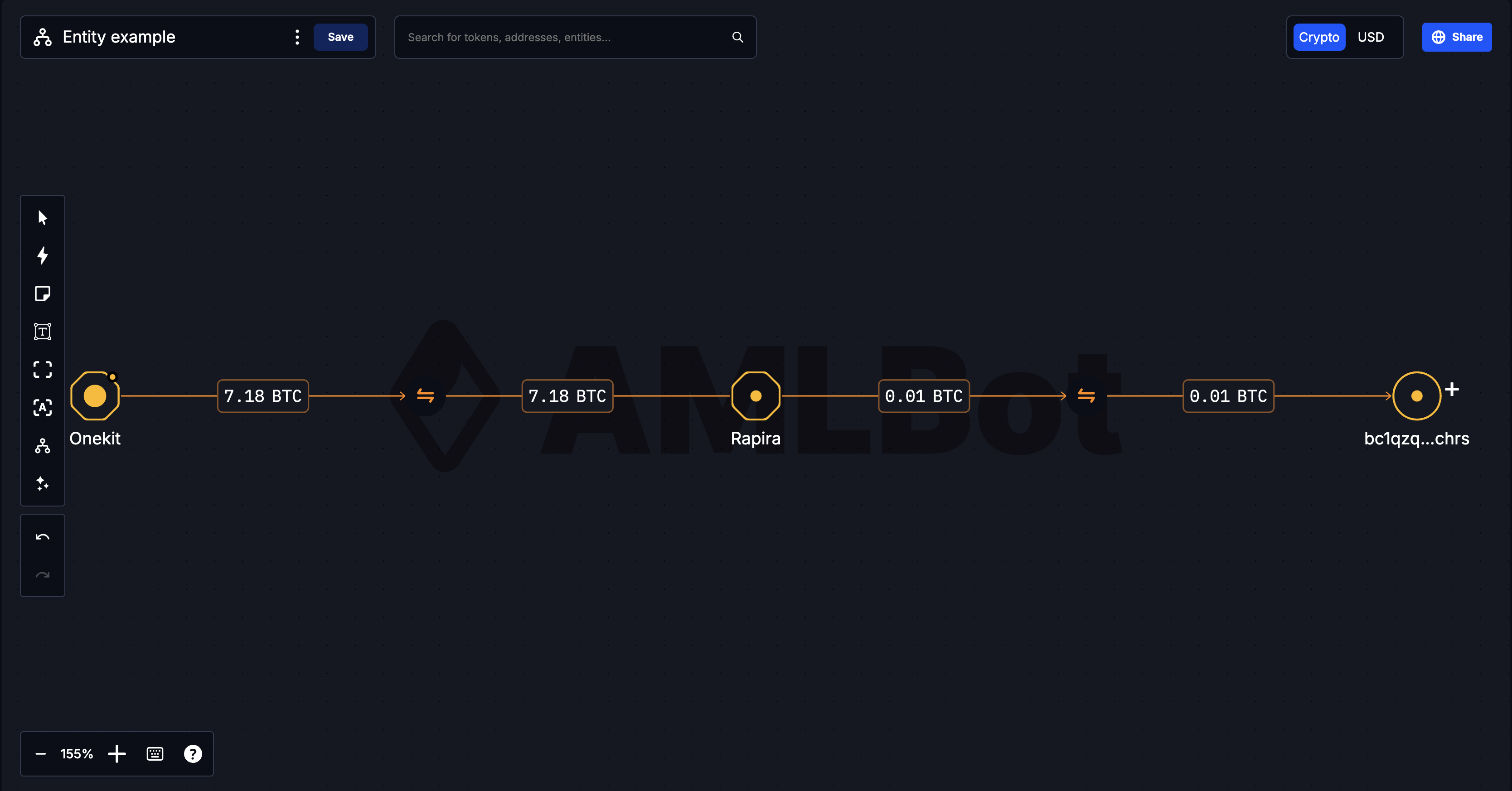
What is on screen
| Area | What it is |
|---|---|
| Canvas | The graph. Drag to pan, scroll to zoom, click an object to open its details. |
| Left tool strip | Undo/redo, layout, comments, display modes. |
| Title bar | Rename, export, save, and the search box for adding objects. |
| Currency and Share | Crypto/USD switch and the share dialog. |
| Zoom controls | Zoom level, keyboard shortcuts, icon legend. |
| Bookmarks | Tabs on the edge of the screen: History, Interactions, Bridge analysis. See Bookmarks. |
| Details panel | Slides in from the right when you click an object. |
Working with the graph
Click an object to open its details. An address or entity opens the address view; a transaction line opens the transaction view. Both slide in from the right and stay open while you keep working on the canvas.
Hover an address for a summary without opening anything. See Address.
Add to the graph from the search box in the title bar, or from the transaction lists inside the address view. Anything you add is placed relative to what it connects to.
Undo and redo cover canvas actions, so an accidental delete or a mis-drag is recoverable. The History bookmark keeps a longer record of what was done and when.
Use Fit View after adding a batch of objects. New objects are often placed outside the current viewport, and a graph that looks unchanged is usually just a graph you are not looking at all of.
Saving
Save is in the title bar, and Tracer also saves about once a minute. Saving is what makes your changes visible to anyone the visualization is shared with.
Read-only graphs
A visualization opened from a shared link cannot be edited: the tool strip and title bar are not shown, and the canvas cannot be rearranged. Create copy in the top-right corner gives you an editable copy of your own. See Sharing and access.