Transaction View
Click a transaction line on the canvas to open its details. The view shows what moved, between whom, when, and at what cost.
What it shows
- Total amount moved by the transaction.
- Fee paid.
- Date the transaction was included in the blockchain.
- Inputs and outputs: addresses or entities, depending on the graph type.
- Currency: switch between the asset’s own units and fiat.
- Transaction hash, with one-click copy.
Actions available from the view:
- Colour: give this transaction’s line a custom colour on the canvas.
- Check bridge: test whether the transaction moved funds to another chain. See Bridge analysis.
- Connections: open the Connections view for the two objects involved.
- Delete: remove the transaction from the canvas.
In an address graph, Connections considers only addresses that are not part of an entity.
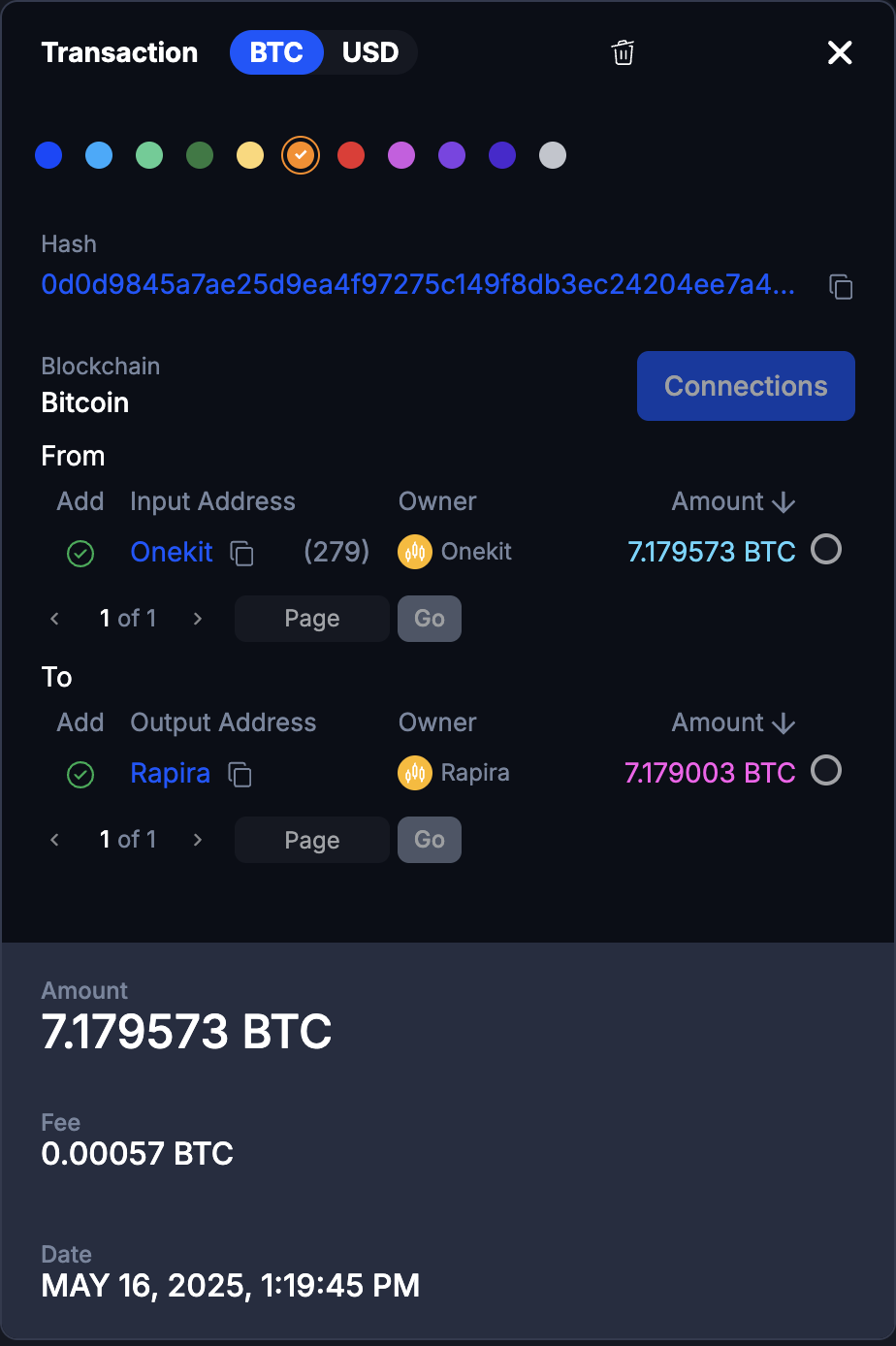
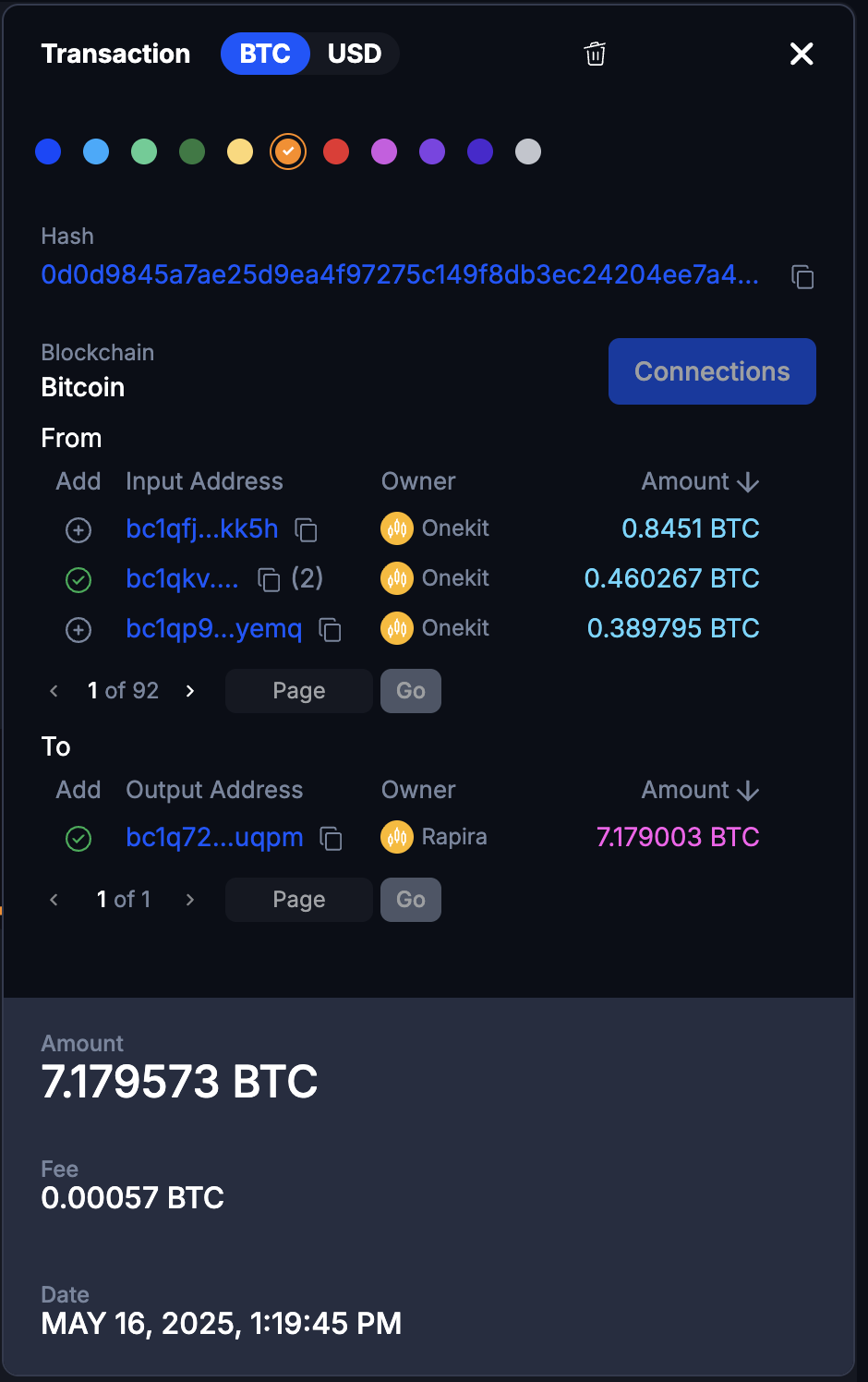
Bitcoin and other UTXO chains
A UTXO transaction can have many senders and many recipients, so the view lists both sides with a count, and lets you add input or output addresses to the graph directly from the list.
What the two sides show depends on the graph type:
- Entity graph: the entities behind the addresses.
- Address graph: the individual addresses.
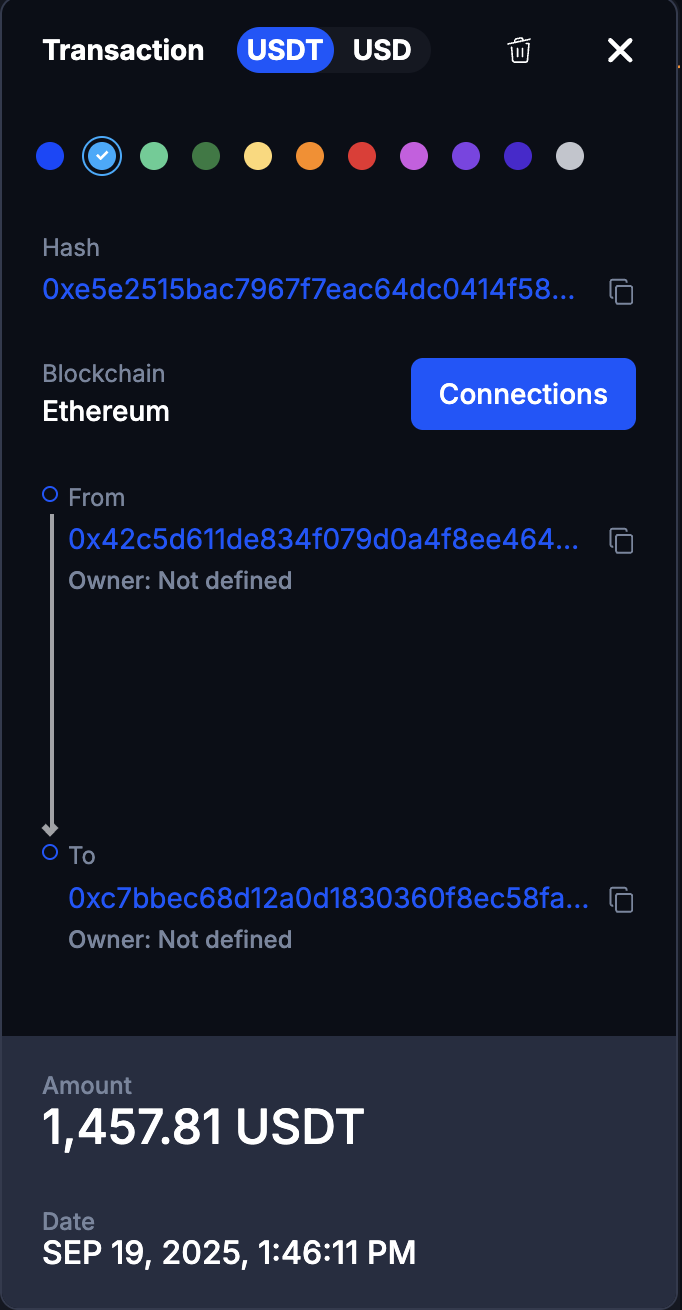
EVM chains and Tron
One sender, one recipient, so the view is simpler. Connections works the same way.
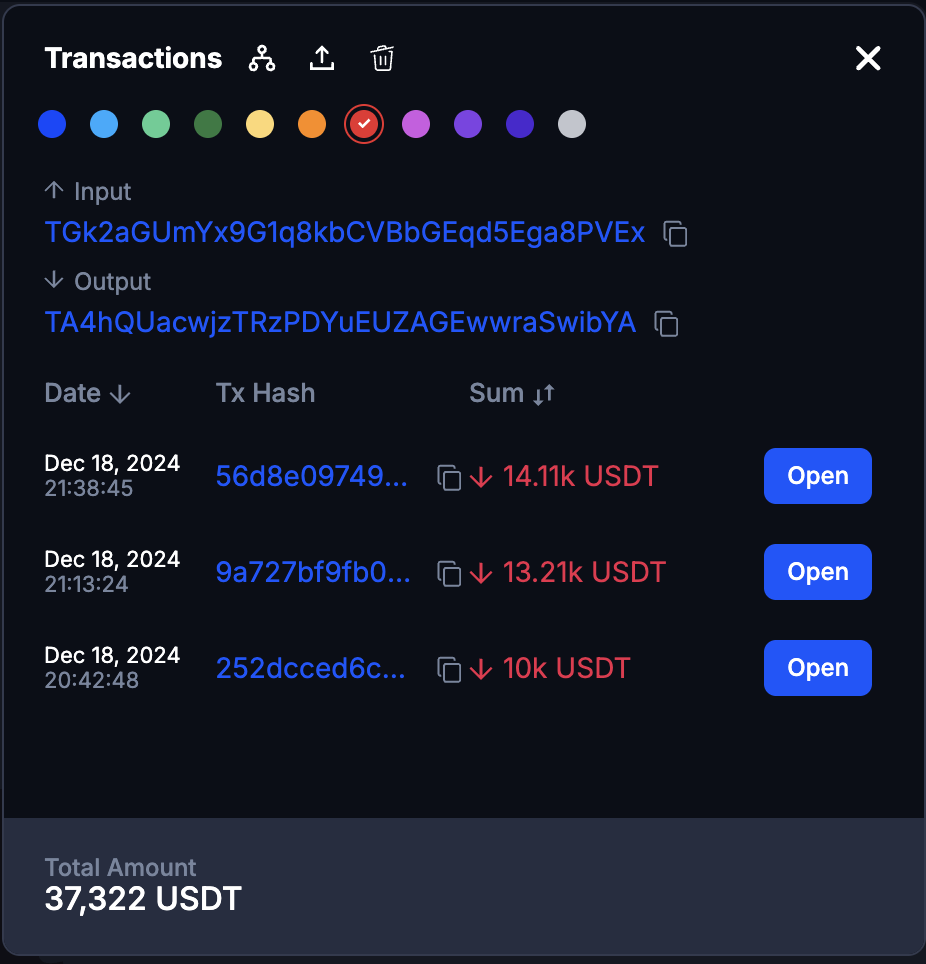
Merged transactions
In merged mode, a line stands for every transaction between the same two objects. Clicking it lists them all; pick one to see its details. If only one transaction is behind the line, its details open directly.
The list offers:
- Total of all transactions between the two objects.
- Sort by date or amount.
- Connections: the Connections view for the pair.
- Colour for the merged line.
- Delete all: remove every transaction in the list from the canvas.